

February 9, 2021
Monitoring
How Does eyeZy Work? An Honest Look at the Spy App (2026)
If you have searched for how eyeZy works, you are probably one of two people. Either you are a parent weighing it up as a way to keep a child safe, or you are worried that someone has installed it on your own phone. This guide is written honestly for both, because the marketing around this category rarely is.
eyeZy is a phone monitoring app that markets itself, in its own words, on staying invisible while you see the other person activity. It is one of a large family of similar products. Below is a straight account of what it actually does, what the marketing leaves out, whether it is legal to use, the safer alternatives if you are a parent, and how to check your own phone if you fear it is being watched.
What eyeZy Actually Does
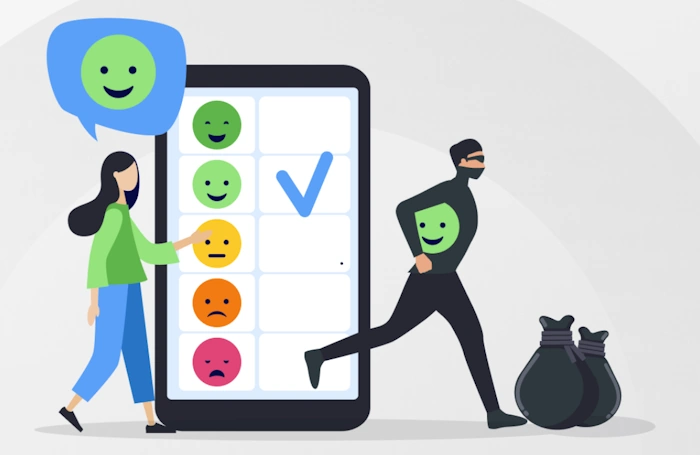
Stripped of the marketing, eyeZy is surveillance software. Once installed on a phone, it collects data from that device and sends it to a dashboard the installer logs into from elsewhere. Depending on the plan and the amount of access, that can include text messages, social media chats on apps like WhatsApp, Instagram and Snapchat, call logs, GPS location, browsing history, photos, and keystrokes captured by a built-in keylogger.
Its central selling point, the one the product name leans on, is that it hides. eyeZy markets a feature it calls Invisible Shield, designed so the person being monitored cannot see the app, and so that deleting an app, taking a screenshot or blocking a site does not reveal it. In plain terms, the entire value proposition is that the person on the other end does not know it is there.
That single fact is what separates it from a legitimate safety tool, and it is where the honest discussion has to start.
Is It Legal to Use eyeZy?
This is the question the sales pages answer quickly and misleadingly, usually with a line about the software being intended for lawful use only, placed where few people read it. The real answer depends entirely on who you point it at.
On your own minor child: generally lawful. A parent supervising a child under 18 is on solid ground in most countries, though even here the covert approach is the wrong one, for reasons covered below.
On another adult, including a partner or spouse: illegal in most of the world. Covertly monitoring an adult who has not consented is a criminal matter, and neither marriage nor paying for the phone changes that. We set out the specific laws in our guide on the legal position on monitoring a partner phone.
On an employee: heavily restricted, generally requiring disclosure and consent, and varying by jurisdiction. The covert model eyeZy sells does not fit lawful workplace monitoring.
What the Marketing Leaves Out
Independent reviews of eyeZy, as opposed to affiliate pages paid to promote it, surface a consistent set of problems that the sales copy omits.
It often needs you to damage the phone
To unlock its full feature set on an iPhone, eyeZy typically requires the device to be jailbroken, and on Android, rooted. Independent testers are blunt about the risk: doing this can permanently damage the phone, voids the warranty, and disables other apps that detect tampering, including banking apps and some games. You are weakening the security of the very device you claim to be protecting.
It asks you to disable security software
Reviewers note that eyeZy can be flagged or blocked by antivirus software, and the workaround the setup expects is to disable or uninstall that protection first. Turning off a phone security to install monitoring software is the opposite of keeping anyone safe.
Billing complaints are common
Across independent review sites and app store listings, the recurring complaints are about money: advertised features that turn out to need a further payment, a strict refund policy that denies refunds unless you contacted technical support first, and auto-renewal charges that customers struggled to stop. Several reviewers rated it poor value even setting the ethics aside.
Your data becomes their liability
Whatever eyeZy collects is uploaded to and stored on its servers. That means the most intimate details of the monitored person life, their messages, photos and movements, sit in a third-party company database. This whole industry has a grim security record. The Coalition Against Stalkerware, which brings together privacy groups, law enforcement and security firms, has repeatedly documented monitoring companies being breached and their customers harvested data being exposed. If you are a parent, that can mean your child data in the hands of criminals.
If You Are a Parent, There Is a Better Way
The instinct behind considering eyeZy is a good one. You want your child to be safe. But covert monitoring is both the least effective and the most damaging way to pursue that, and there are tools built for the job that do not require jailbreaking a phone or hiding from your kid.
Studies of teen safety keep landing on the same finding: what protects a young person most is the confidence that they can bring a problem to a parent without the roof falling in. Secret monitoring corrodes precisely that confidence. The teenager who later realises they were watched in secret draws one conclusion, that the adult who claimed to be protecting them was deceiving them, and they respond by closing up. The surveillance ends up buying less safety, not more.
The better tools work openly:
- Built-in controls. Apple Screen Time and Google Family Link are free, do not require damaging the phone, and let you manage app time, content and location with the child aware.
- Alert-based services. Reputable apps such as Bark and Qustodio watch for genuine danger signs like bullying, predators or self-harm and alert you, rather than exposing every private message. They are designed for disclosure, not concealment.
We cover the full approach, including how to talk to a teenager about it, in our guide to keeping a child safe on social media.
The AI alerts and geofencing, in perspective
eyeZy heavily promotes two features: AI-driven alerts that flag concerning keywords, and geofencing that notifies you when a phone enters or leaves an area. These sound compelling to a worried parent. The thing worth knowing is that the legitimate, open tools do the same things without the covert baggage. Google Family Link and Apple Screen Time both offer location and place-based alerts. Bark built its entire product around AI alerts for danger signs like bullying, predators and self-harm, and it does so on a disclosed basis rather than a hidden one. You are not giving up capability by choosing the ethical tool. You are giving up only the concealment, which was never a feature worth having.
If You Think eyeZy Is on Your Phone
The other reason people search for how eyeZy works is fear that it is watching them. Because the product is built to hide, this fear is reasonable and worth acting on rather than dismissing.
Signs worth noting
- Battery draining much faster than it used to, with no other explanation, because monitoring software runs and transmits constantly.
- Mobile data usage climbing for no reason you can identify.
- The phone warm while idle, or sluggish and slow to shut down.
- On Android, the possibility that unknown-sources installation was enabled and an unfamiliar app given device-administrator or accessibility access.
- On iPhone, signs the device was jailbroken, such as an app like Cydia or Sileo that you did not install.
The most reliable sign is not technical at all: someone knowing things about your movements, messages or conversations that they have no legitimate way of knowing.
A quick first check on Android is Play Protect: open the Play Store, tap your profile icon, choose Play Protect and run a scan, which catches many known monitoring tools. On iPhone, Apple Safety Check in Settings, Privacy and Security lets you see and cut off who has access to your data.
These are starting points. Finding and removing this kind of software properly, on either platform, and crucially securing the cloud account it may be reading from, is a longer process. We walk through every step in our full guide on how to tell if your phone is being tracked and how to remove it safely.
One important warning before you act. If the person who may have installed this could react dangerously to losing access, removing it can be the moment that alerts them, and that moment carries real risk. Covert monitoring by a partner is a recognised form of coercive control. If that is your situation, plan the steps with a domestic abuse support service first, using a device the other person has never had access to.
How Installation Actually Works (And Why That Matters)
Understanding the mechanics matters, because it exposes how much access someone needs before eyeZy is even possible, which in turn tells you how worried to be.
On Android
Someone must physically hold your unlocked phone for several minutes. They need to enable installation from unknown sources, download the app from outside the Play Store, and grant it sweeping permissions including, in most cases, device-administrator rights and accessibility access. None of this can happen remotely. If your phone has never left your control while unlocked, Android installation is not possible.
On iPhone
Apple locked-down system makes direct installation far harder, so eyeZy generally takes one of two routes. Either the phone must be jailbroken, which requires physical access and leaves detectable traces, or the app relies on your iCloud credentials to pull your backed-up data from the cloud. The second route means the weak point is not your handset at all but your Apple ID password. This is exactly why turning on two-factor authentication and not sharing your Apple ID password is such an effective defence.
The practical takeaway is reassuring. In almost every case, monitoring requires either sustained physical access to your unlocked phone or knowledge of your account password. Protect both, and you close nearly every door.
Why Affiliate Reviews Rate It So Highly
If you have been reading glowing eyeZy reviews, it is worth knowing why they exist. This category pays generous commissions to sites that refer buyers, so a large share of the top search results for any monitoring app are affiliate pages with a financial stake in your purchase. That is why they read like advertisements: they are.
The tell is easy to spot once you know it. Affiliate reviews bury the legal issues in a single throwaway line, never mention the jailbreak damage or the billing complaints in any depth, and always end with a discount link. Independent testers, who make no commission on the sale, reach markedly different conclusions, and those are the reviews worth trusting.
The Line Between Safety and Surveillance
It is worth stating the principle plainly, because the marketing works hard to blur it. A genuine safety tool is one the other person knows about and can see. A surveillance tool is one built to stay hidden from them. eyeZy Invisible Shield places it firmly in the second category.
Legitimate location sharing, the kind families actually benefit from, is the opposite of hidden. With Apple Find My or Google Family Link, everyone in the arrangement can see it is on and can switch it off. If you want that, our guide on sharing location the honest way covers it. The test never changes: if a tool only works because the other person cannot tell it is there, it is not protecting them. It is spying on them.
eyeZy Pros and Cons, Honestly
For completeness, here is the balanced picture that the affiliate reviews will not give you.
What its supporters claim: a wide range of monitoring data in one dashboard, a modern interface, geofencing alerts, and social-app coverage.
What independent testing and users report: high price with no free trial, full features often requiring a jailbroken or rooted device, a refund policy that traps buyers, auto-renewal billing complaints, inconsistent data syncing, and the fundamental problem that its core feature is concealment. Independent parental-control reviewers repeatedly rank it below tools like Bark and Qustodio for actually keeping children safe.
Put simply: even judged purely as a product, and setting the serious ethical and legal problems aside, it does not come out well.
It is also worth being realistic about what monitoring even achieves with a teenager. Tech-aware young people routinely keep a second device, use a friend phone, or move sensitive conversations to platforms a parent is not watching. The energy spent installing and hiding surveillance is often energy that would have been far better spent on the conversation that actually builds judgement. Surveillance treats the symptom; trust addresses the cause.
Frequently Asked Questions
Is eyeZy really undetectable? It markets a hidden mode and works hard to stay concealed, but no monitoring app is perfectly invisible. Battery and data anomalies can reveal it, security scanners detect many known tools, and on iPhone it usually needs a jailbroken device, which itself leaves traces. Someone determined to check their phone can often find signs.
Is it legal to install eyeZy on someone phone? On your own minor child, generally yes. On another adult, including a spouse, without their consent, it is illegal in most countries. Covertly monitoring an adult is a criminal offence regardless of your relationship to them.
Does eyeZy work without the target phone? No. Installation requires physical access to the device, and on iPhone it may instead require the person iCloud credentials. Any claim that you can monitor a phone with nothing but its number is false, and services advertising it are typically scams.
Does eyeZy require jailbreaking or rooting? For its full feature set, usually yes. That process can permanently damage the device, voids the warranty, and disables other apps that check for tampering. It also makes the phone less secure overall.
What is a safer alternative for parents? Apple Screen Time and Google Family Link for free device management, and alert-based services like Bark or Qustodio if you want more, all used openly with your child aware. These protect children better than covert spyware and without the legal and security risks.
How do I remove eyeZy from my phone? On Android, revoke its device-administrator rights, then uninstall, update the OS, and run Play Protect. On iPhone, a jailbroken device should be restored. In both cases, change your Apple or Google password and enable two-factor authentication afterwards. Our full removal guide covers the safe order of steps.
The Bottom Line
eyeZy works by installing itself on a phone, hiding, and quietly forwarding that person messages, location and activity to whoever set it up. That is the whole design, and the concealment is the point.
On another adult, using it that way is illegal in most of the world. On a child, it is legal but it is the wrong tool, because it damages the trust that actually keeps young people safe and puts their most private data on a company server with a poor security record. In independent testing it is also simply not a good product for the money.
If you are a parent, use the open, purpose-built tools instead. If you fear eyeZy is on your own phone, check it and, if you are in a situation that could turn dangerous, get support before you remove anything. Either way, the answer to how eyeZy works is also the reason not to use it.


Related Posts




Search Here
Bilal Ahmad
Founder & Editor, TechMaish
Bilal Ahmad is the founder and editor of TechMaish, writing about consumer technology since 2008. For over 18 years he has covered streaming and downloads, games, social media platforms, iPhone and Android, Windows fixes and everyday software, testing tools hands-on and sharing what actually works. He is based in Peshawar, Pakistan.
About MeAll My ArticlesTwitterFacebookLinkedInInstagramPinterest