

March 6, 2023
Games
Unblocked Games 66 EZ — Play Free Games at School in 2026
Play responsibly: This guide is informational. Bypassing filters or gaming during class may violate your school’s acceptable-use policy. Save these for breaks, free periods or home, and respect your teachers’ and IT department’s rules — getting your device or account restricted isn’t worth a quick game.
Unblocked Games 66 EZ is one of the best-known sites for playing free browser games that usually slip past school and workplace network filters. Everything runs on HTML5 — fast, no downloads, no sign-up — and works on phones as well as school laptops. Here’s what the site offers, the most popular games on it, and how to play safely and sensibly.
What Is Unblocked Games 66 EZ?
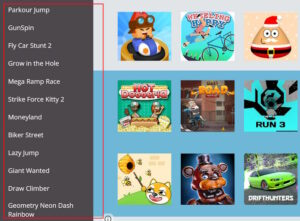
It’s a free website (typically hosted on platforms like Google Sites) that collects browser games which generally aren’t caught by school content filters. Because the games are HTML5, they load quickly even on slow connections and don’t need Flash — which matters, since Flash was discontinued years ago and no longer works on any modern browser or phone. There’s no registration: open the page, pick a game, wait for it to load, and play. Many of these sites even let you request a title to be added. If a game is missing, sister site Unblocked Games 67 runs a larger catalogue, and our roundup of the best unblocked games for school covers more options.
Most Popular Games on Unblocked Games 66 EZ
| Game | Genre | Why it’s popular |
|---|---|---|
| Slope | Endless runner | Fast, addictive 3D ball-rolling |
| Run 3 | Platformer | Endless space-tunnel jumping |
| 1v1.lol | Shooter / build | Build-and-battle, Fortnite-style |
| Cookie Clicker | Idle / clicker | Simple, endlessly satisfying |
| Retro Bowl | Sports | Pick-up-and-play American football |
| Moto X3M | Racing | Stunt bike time-trials |
The Standout Titles
Slope is the flagship — you guide a ball down a fast, futuristic 3D course, dodging obstacles as the speed ramps up. Simple to grasp, very hard to master. Run 3 has been a favourite for years: an endless platformer where you run and jump through space tunnels to a catchy soundtrack. 1v1.lol is the go-to for shooter fans — a build-and-battle title where construction and aim decide the fight. Cookie Clicker is the ultimate idle game (click a cookie, buy upgrades, repeat — weirdly hard to stop), while Retro Bowl and Moto X3M cover pick-up-and-play sports and stunt racing. Between them they span nearly every mood, from quick reflexes to long-haul idle.
Why These Games Work on School Networks
School filters usually block by category or specific domains — known game portals, social media, video sites. Smaller HTML5 game sites often aren’t on those block lists yet, which is why they load when big sites don’t. Because the games are lightweight HTML5, they also run on modest school hardware and slow Wi-Fi. That said, filters get updated constantly, so a site that works one week may be blocked the next — which is exactly why so many mirror sites (66, 67, 76) exist.
Play Smart: A Note on School Rules
Here’s the honest part most of these sites skip. “Unblocked” only means the network filter didn’t catch it — it doesn’t mean your school allows it. Gaming during lessons, or deliberately getting around IT restrictions, can breach your school’s acceptable-use policy and get your device or account restricted. The sensible approach: keep these for breaks, lunch, free periods or home, not during class. A few minutes of Slope isn’t worth losing laptop privileges for a term. If you mainly want games for downtime with no internet at all, our guide to the best offline games is a filter-free alternative.
Staying Safe on Unblocked Game Sites
- Watch for fake buttons: some of these sites carry heavy ads with misleading “download” or “play” buttons — stick to the actual game frame.
- Never install anything: a browser game never needs an .exe, extension or “player” — if prompted, close the page.
- Don’t enter personal info: no legitimate unblocked game needs your email, login or payment details.
- Use an ad blocker where your school permits it, to cut the sketchy ads these sites rely on.
Frequently Asked Questions
Is Unblocked Games 66 EZ free?
Yes — completely free, with no registration. You just open the site and play.
Is it safe?
The games themselves are browser-based and generally harmless, but these sites can carry intrusive ads. Never install anything or enter personal details, and use an ad blocker where allowed.
Why do the games sometimes stop working at school?
School filters update regularly and may block the site. That’s why mirror sites like Unblocked Games 67 and 76 exist — though the responsible move is to play outside class time.
Do these games work on a phone?
Yes — because they’re HTML5, most run in a mobile browser as well as on a laptop.
Is it against the rules to play at school?
It can be. “Unblocked” means the filter didn’t catch it, not that your school permits it — check your acceptable-use policy and keep gaming to breaks and free time.

Bilal Ahmad
Founder & Editor, TechMaish
Bilal Ahmad is the founder and editor of TechMaish, writing about consumer technology since 2008. For over 18 years he has covered streaming and downloads, games, social media platforms, iPhone and Android, Windows fixes and everyday software, testing tools hands-on and sharing what actually works. He is based in Peshawar, Pakistan.
About MeAll My ArticlesTwitterFacebookLinkedInInstagramPinterest