
May 14, 2024
Gadgets
Best Legal TV Apps for Firestick in 2026 (Free & Paid)
The Amazon Fire TV Stick is one of the best value streaming devices you can buy — but only if you load it with the right apps. This guide covers the best legal, legitimate TV and streaming apps for Firestick in 2026. (An earlier version of this article recommended unofficial “APK” streaming apps; we’ve replaced those, because those pirate apps are illegal, unsafe, and a genuine malware and legal risk — more on why below. The legitimate apps here are better, safer, and mostly free or cheap.)
Why Avoid the “Free Streaming” APK Apps
Apps like the ones this page once listed (Typhoon TV, Nova TV, Cinema HD and similar unofficial APKs) stream copyrighted movies and shows without licenses. Using them carries real problems: they’re illegal in most countries and can expose you to legal trouble; they’re unsafe, frequently bundling malware since they’re sideloaded from unofficial sources outside Amazon’s store; they’re unreliable, constantly breaking, disappearing, and being shut down; and they offer no quality guarantee — broken links, poor streams, and intrusive ads. The legal apps below cost little or nothing and simply work, without the risk. That trade is worth it.
The Best Legal Firestick Apps in 2026
Free, ad-supported streaming (no subscription)
- Amazon Freevee — Amazon’s own free, ad-supported service, built right into Fire TV with movies and shows at no cost.
- Tubi — a huge free library of movies and TV, ad-supported and genuinely extensive. One of the best free options anywhere.
- Pluto TV — free live TV channels in a cable-like experience, plus on-demand content. Great for channel-surfing without a bill.
- The Roku Channel and Plex — both offer free ad-supported movies and live channels; Plex also organizes your own media library.
Subscription streaming (the mainstream services)
- Netflix, Prime Video, Disney+, Max, Apple TV+ — all have official Firestick apps. Prime Video is especially integrated since it’s Amazon’s own. These are the legitimate homes for premium content.
- YouTube — free and official, with endless content plus YouTube Premium for ad-free and offline viewing.
Live TV and sports (legal)
- Sling TV, YouTube TV, Hulu + Live TV — legitimate live-TV streaming services that replace cable, with local channels, news, and sports.
- Regional broadcaster apps — most TV networks and broadcasters have official free apps for catching up on their shows.
Getting the Most From Your Firestick
- Use a VPN for privacy (the legitimate reason) — a reputable VPN protects your connection on public networks and can help with legitimate regional access to content you’re entitled to while traveling.
- Keep it updated. Official apps update automatically through Amazon’s store, staying secure and bug-free — unlike sideloaded APKs.
- Clear cache periodically if apps get sluggish, and restart the device occasionally to keep it responsive.
- Consider an upgraded model if you stream 4K — the Fire TV Stick 4K handles high-resolution content more smoothly.
For getting more from streaming devices generally, our guide on entertainment options offline covers what to do when you’re without a connection.
The Bottom Line
You don’t need risky pirate APKs to get great content on Firestick. Between free services like Tubi, Freevee, and Pluto TV and the official subscription apps, there’s more legitimate content than anyone could watch — safely, reliably, and legally. Load your Firestick with these instead, and you get a better experience without the malware and legal risk.
FAQ
What are the best free apps for Firestick? Tubi, Amazon Freevee, Pluto TV, The Roku Channel, and Plex all offer large free, ad-supported libraries — legal, safe, and genuinely extensive. No subscription needed.
Are APK streaming apps like Cinema HD safe to use? No — they stream pirated content illegally, are frequently bundled with malware, break constantly, and can expose you to legal risk. Legitimate free apps are safer and more reliable.
What subscription apps work on Firestick? All the major ones — Netflix, Prime Video, Disney+, Max, Apple TV+, YouTube — have official Firestick apps, along with live-TV services like Sling, YouTube TV, and Hulu + Live TV.
Do I need a VPN for Firestick? Not required, but a reputable VPN adds privacy on public networks and can help with legitimate regional access while traveling. Use it for privacy, not to enable piracy.
How do I watch live TV on Firestick legally? Free options like Pluto TV offer live channels; paid services like Sling TV, YouTube TV, and Hulu + Live TV provide full live-TV lineups including local channels and sports.
n
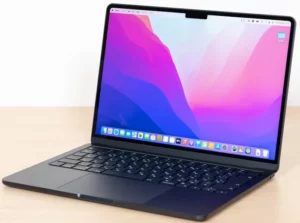
If you use a Mac alongside your Firestick, our guide on downloading Netflix movies on Mac for offline viewing covers what’s possible and the limitations.
- September 28, 2012
 December 12, 2012





Bilal Ahmad
Founder & Editor, TechMaish
Bilal Ahmad is the founder and editor of TechMaish, writing about consumer technology since 2008. For over 18 years he has covered streaming and downloads, games, social media platforms, iPhone and Android, Windows fixes and everyday software, testing tools hands-on and sharing what actually works. He is based in Peshawar, Pakistan.
About MeAll My ArticlesTwitterFacebookLinkedInInstagramPinterest