
February 24, 2019
Software
15+ WooCommerce Plugins That Cover Every Corner of Running a Better Store
WooCommerce hands you a reliable starting point. What it doesn’t hand you is a finished store, or a growing one. The gap between a functional WooCommerce setup and a store that consistently attracts visitors, converts them, and earns their return is almost always filled by the right combination of plugins.
But not every plugin list is the same. Some tools help visitors find you through search. Others tighten the checkout experience, handle order documentation, recover abandoned carts, or keep product listings accurate across multiple sales channels. A few sit quietly in the background doing compliance work or preventing security headaches before they happen.
This list covers 17 plugins across those different areas, SEO, marketing automation, customer engagement, operations, and everything in between. Each one addresses a part of the WooCommerce experience that tends to show cracks as your store grows. Together, they give you a stack that’s ready to handle more.
1. Product Import Export for WooCommerce
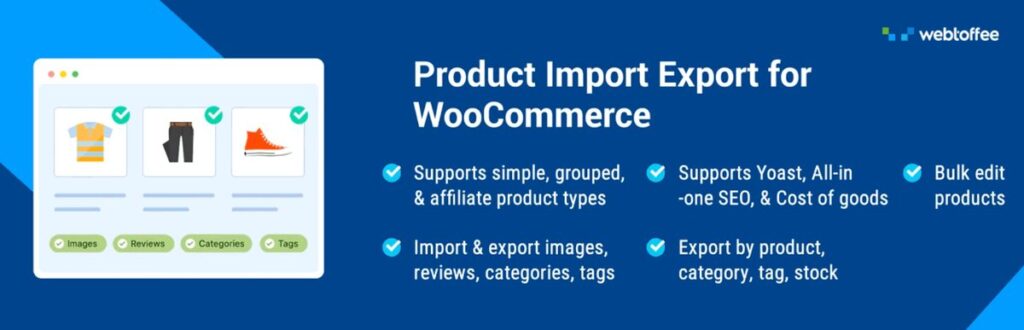
Once a catalog gets past a certain size, managing individual product records through the WooCommerce admin stops being practical. The WooCommerce product export import plugin was built for exactly that situation, moving product data in and out of your store in structured bulk files rather than one product at a time.
The ability to import and export products using CSV, XML, TSV, or Excel covers the full picture: titles, descriptions, pricing, stock levels, images, categories, tags, customer reviews, and attributes for simple, variable, and grouped product types. Automatic column mapping reduces setup friction when working with supplier files or data from another platform. Advanced filters let you export a precise slice of your catalog instead of the whole thing, which keeps file sizes manageable during targeted updates. Scheduled imports and exports through FTP or SFTP handle recurring syncs automatically, so inventory and pricing stay aligned without manual intervention.
2. Yoast SEO

Paid traffic is rented. Organic search is owned, as long as you’ve done the work to earn it. Yoast SEO helps WooCommerce stores build that organic foundation systematically, covering both the on-page factors that influence rankings and the technical elements that help search engines understand and index your store.
Real-time suggestions as you create or edit content check keyword usage, readability, internal linking, and content structure, making it easier to publish pages that are both well-written and well-optimized. On the technical side, Yoast automatically generates XML sitemaps, canonical URLs, structured data, and optimized meta tags that improve how your pages are indexed and how they appear in search results. For product pages competing in crowded categories, these details matter more than most store owners expect, and Yoast makes them manageable without SEO expertise.
3. Order Import Export Plugin for WooCommerce
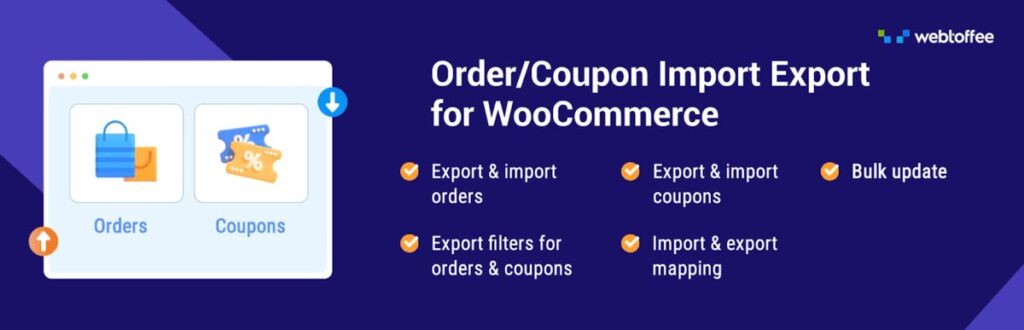
Moving order data can be a bit of a headache, but this plugin makes it a whole lot easier. The Order Import Export Plugin for WooCommerce simplifies the bulk importing and exporting of orders, coupons, and subscriptions without a ton of manual setup. If you opt for the premium version, you can work with CSV, XML, TSV, and Excel files; the free version sticks to CSV, which is perfect for most everyday needs.
Quick mode is great for speedy transfers, while advanced mode offers filters and field mapping for those more intricate workflows. You can even bulk-update order data during the import process, carry over custom metadata, and set up recurring jobs via FTP/SFTP. Plus, the activity logs keep track of everything that’s been done, making troubleshooting a breeze.
For WooCommerce stores that frequently manage order history, whether it’s for migration, reporting, or backups, this order import export plugin takes care of the heavy lifting and ensures your data workflows remain smooth and reliable in 2026.
4. LiveChat

There’s a narrow window between a visitor arriving on a product page and deciding whether to buy or leave. LiveChat gives you a way to step into that window and actually influence the outcome. Real-time answers to questions about specifications, sizing, shipping, or compatibility remove the kind of friction that sends people to a competitor instead.
The plugin places a chat widget on your store that visitors can use to start a conversation at any point. Smart chat triggers can initiate messages based on visitor behavior, time on page, scroll depth, or proximity to exit, so your team or chatbot engages at moments when intervention is most likely to make a difference. For stores with higher-value or more complex products, a single chat conversation often closes a sale that would otherwise have been lost to unanswered hesitation.
5. Import Export Suite for WooCommerce
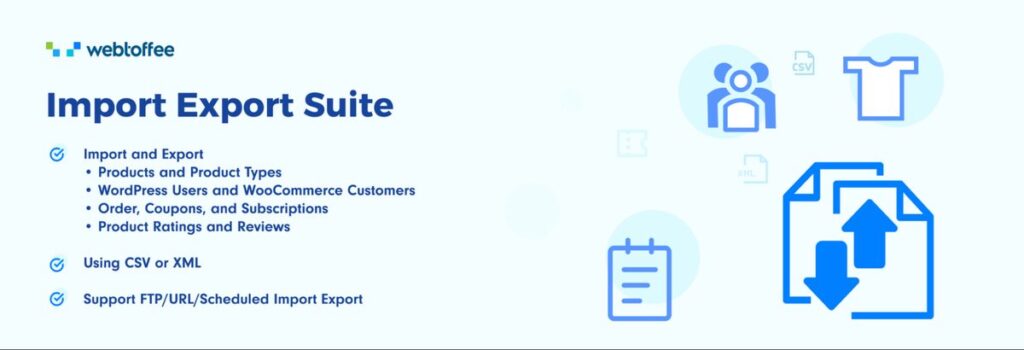
Product data is only part of what a WooCommerce store needs to move between systems. Orders, coupons, subscriptions, users, and other store records each carry important information that has to travel cleanly during migrations, audits, or platform transitions. The Import Export Suite for WooCommerce handles all of that in one place.
Using CSV, XML, TSV, or Excel files, you can bulk-import or export nearly every major data type in your WooCommerce setup. Advanced filtering tools let you pull only the records you actually need, specific order date ranges, particular coupon types, or user segments, rather than exporting everything and sorting it out afterward. Scheduled import and export jobs run automatically, which is useful for stores that keep external systems aligned with their WooCommerce data on a regular cadence. Bulk update capability means large groups of products or orders can be modified in a single operation instead of one by one.
6. Accessibility Tool Kit

An accessible store reaches a wider audience, handles compliance expectations better, and often just works better for everyone, not only visitors with specific accessibility needs. The Accessibility Tool Kit plugin helps store owners identify and close accessibility gaps without requiring a developer or a site rebuild.
The built-in accessibility checker scans your store against established standards including WCAG 2.1, Section 508, and ARIA guidelines, flagging specific problems like missing form labels, contrast failures, incorrect heading structure, and keyboard navigation issues. For developers and QA teams doing more detailed testing, the free Accessibility Checker extension provides page-level tools to inspect alt text, evaluate focus order, and review accessibility issues across both desktop and mobile layouts. Detailed reports cover both desktop and mobile layouts, so you can prioritize critical issues by severity and apply the recommended fixes rather than leaving accessibility gaps in place.
7. WooCommerce Gift Cards

Gift cards do something most other marketing tools don’t: they bring in revenue before a purchase has been made and introduce your brand to new customers through the people who already trust it. The WooCommerce Gift Cards plugin makes it straightforward to offer gift cards in both digital and physical formats directly from your store.
As a complete solution for Gift Cards for WooCommerce, the plugin lets customers purchase gift card products, send them by email with a personal message, and schedule delivery for a specific date, useful for birthdays, holidays, or other occasions. Store owners control denomination options, set restrictions on where cards can be used, and can issue refunds as store credit instead of cash, which keeps the value cycling back through the store. Recipients frequently spend more than the card value, which means gift card sales often drive additional order revenue beyond the card itself.
8. WooPayments

Payment friction at checkout is one of the most direct conversion killers in eCommerce. WooPayments removes a significant source of that friction by keeping the payment experience on your domain rather than redirecting customers to an external processor that looks unfamiliar at the final step.
Card payments process directly on your WooCommerce store, and everything, transaction history, deposits, refunds, and payment monitoring, sits inside your WordPress dashboard. There’s no separate payment platform to log into or reconcile against. For customers, the checkout stays visually consistent with the rest of the store, which builds confidence exactly when it matters most. For store owners managing day-to-day operations, having payment data in the same place as order data simplifies reconciliation and saves the back-and-forth between platforms.
9. WooCommerce PDF Invoices and Packing Slips
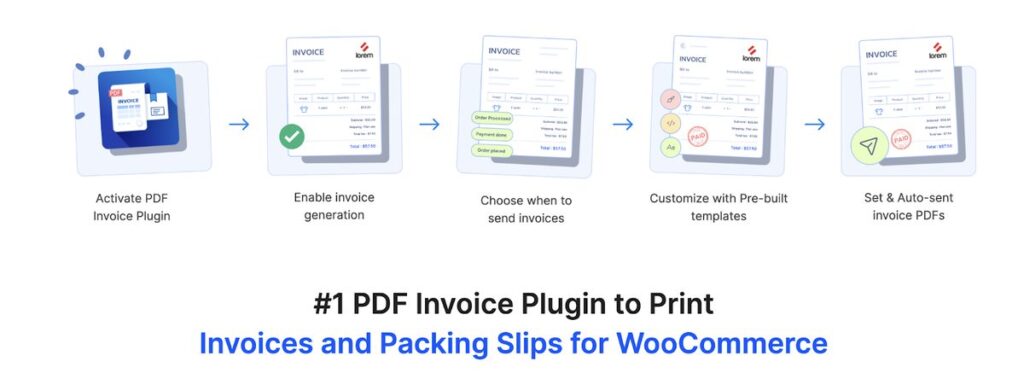
Order documentation is one of those things that works invisibly when it’s handled well and creates real problems when it’s not. WooCommerce PDF Invoices and Packing Slips automates the creation and delivery of order documents so that invoices, packing slips, and credit notes are always generated correctly without anyone having to produce them manually.
As a comprehensive WooCommerce invoice plugin, it attaches the right documents to the right order emails and lets customers download their records from the account page whenever they need them. Template customization brings your branding and tax details into every document consistently. Custom invoice numbering supports cleaner accounting records, while UBL and XML e-invoice formats cover businesses operating in markets with structured invoicing requirements. The plugin supports packing slips, delivery notes, shipping labels, and dispatch labels, all managed from one place as fulfillment volume grows (proforma invoices are available through WebToffee’s separate Proforma Invoices plugin).
10. WPForms
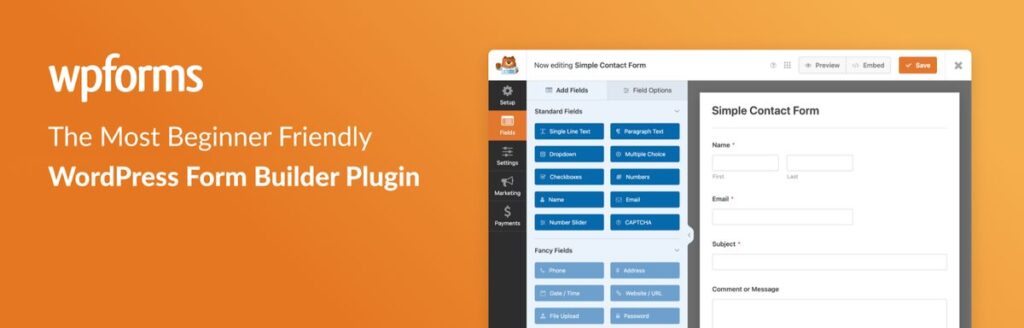
Not every visitor interaction ends in a transaction, and that’s fine, but those interactions still have value if you have a way to capture them. WPForms gives WooCommerce stores a flexible form builder that handles everything from lead capture to customer feedback without needing a separate tool for each use case.
The drag-and-drop builder works through a visual interface that doesn’t require technical setup, and a library of pre-built templates gets common form types, contact forms, newsletter signups, feedback forms, payment forms, live quickly. For stores with wholesale or B2B components, WPForms handles custom inquiry forms and quote request forms in a way that turns a casual visit into a structured conversation. Every submission is a potential customer or lead that came to you, which is a better starting position than trying to find them later.
11. WordPress Users & WooCommerce Customers Import-Export
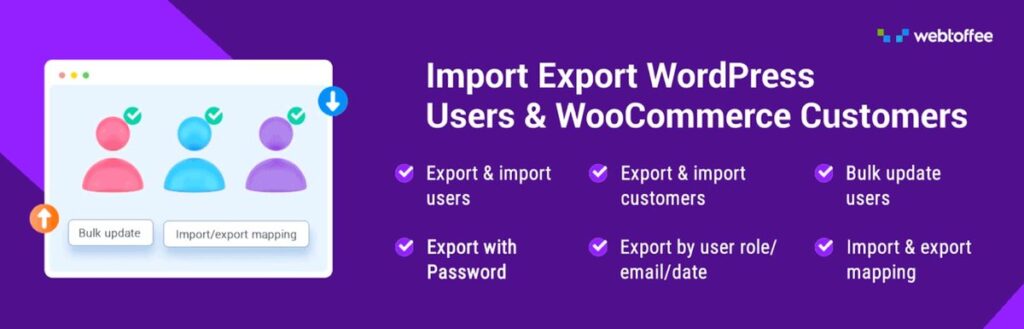
User migration often gets pushed to the back burner, until you find yourself in a situation where it’s absolutely necessary. The Import Export WordPress Users plugin is designed to simplify this process, seamlessly managing both WordPress users and WooCommerce customers. It’s a great choice for site migrations, CRM integrations, and handling large customer lists. The premium version supports a variety of formats like CSV, XML, TSV, XLS, and XLSX, while the free version is limited to CSV.
You can easily transfer names, email addresses, billing and shipping information, user roles, and custom metadata, all with field mapping to ensure everything lands in the right place. Plus, advanced filtering and scheduled exports via FTP/SFTP allow you to pull specific records on a regular basis.
Just to clarify, this user import export plugin is all about user and customer profile data. For store owners, developers, and agencies managing customer migrations, bulk profile updates, or CRM syncs, it streamlines the entire process without complicating things further.
12. Customer Reviews for WooCommerce

Purchase decisions rarely happen without some form of social proof in the picture. The Customer Reviews for WooCommerce plugin helps store owners build a steady review pipeline rather than relying on the occasional unprompted feedback.
After a purchase is completed, the plugin sends automated reminder emails that invite customers to share their experience while it’s still fresh. For stores that want an additional channel, there’s a WhatsApp integration using click-to-chat that lets you send review requests manually. More verified reviews on product pages mean stronger trust signals for new shoppers who are weighing up whether to buy. Over time, a well-maintained review section becomes one of the most persuasive elements on a product page.
13. Smart Coupons for WooCommerce
A basic discount code does its job, but it’s limited in how precisely you can target it or how frictionless you can make the redemption experience. Smart Coupons for WooCommerce gives you a significantly wider range of promotional tools that go well beyond what the default WooCommerce coupon system offers.
As a fully featured advanced coupon plugin, it supports BOGO deals, quantity-based pricing, cart-level conditions, and auto-apply coupons that activate at checkout without requiring customers to enter a code, which removes a step that quietly loses conversions. URL-based coupons are particularly effective for email campaigns and social promotions: a customer clicks the link and the discount is already applied. Welcome coupons bring new subscribers into the funnel with an immediate incentive. Abandoned cart coupons target shoppers who got close but didn’t finish. Bulk coupon code generation handles large-scale influencer or affiliate campaigns cleanly. For growing stores, this level of promotional flexibility makes a real difference to campaign ROI.
14. Sucuri Security
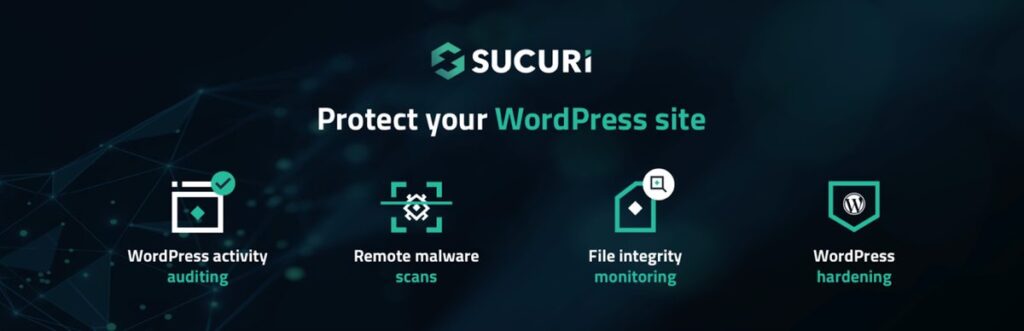
A store that goes down or gets compromised doesn’t just lose sales in that moment, it loses the trust that’s much harder to rebuild afterward. Sucuri Security gives WooCommerce store owners monitoring tools and hardening options that address threats before they become incidents.
Site activity logging tracks important security events and helps you spot unusual behavior early. File integrity monitoring checks your core WordPress files and alerts you when unexpected changes occur, which is often an early sign of a compromise. Remote malware scanning runs regularly to detect harmful code before it damages the site or flags you in search results. Security hardening recommendations help close the vulnerabilities most commonly exploited on WordPress and WooCommerce installs. For stores investing in traffic and customer relationships, protecting the infrastructure that holds it all together is worth taking seriously.
15. Product Feed for WooCommerce

Your WooCommerce store is one channel. Most of the shoppers who would buy from you are spending time somewhere else, Google Shopping, Facebook, Instagram, TikTok, Pinterest, and your product listings need to reach them there. The WooCommerce Product Feed plugin is what makes that distribution manageable.
The plugin generates product feeds in the formats each platform expects, XML, CSV, XLSX, and TXT, and lets you run multiple feeds in parallel, each mapped and configured for its destination channel. Filtering tools give you control over exactly which products appear in each feed, so you’re promoting the right items in the right places without duplicating manual work. Attribute mapping aligns your WooCommerce product data with the specific field requirements of platforms like Google Merchant Center and Facebook Business Catalog Manager. Scheduled feed updates through server cron keep your listings current on a defined schedule, regardless of traffic volume or hosting configuration.
16. MonsterInsights

Decisions based on gut feel get harder to justify as a store grows. MonsterInsights connects WooCommerce with Google Analytics and surfaces the resulting data inside the WordPress dashboard, so you’re making choices based on what’s actually happening rather than what you think is happening.
The setup process is straightforward and activates important tracking features, eCommerce tracking, traffic source attribution, and user behavior reporting, without requiring custom code or developer involvement. The dashboard presents data in focused reports that highlight the metrics most relevant to store growth: where visitors come from, which pages hold attention, which products convert, and which marketing efforts are delivering. With that clarity, every decision about content, ads, and store improvements has a data layer underneath it.
17. eCommerce Marketing Automation App
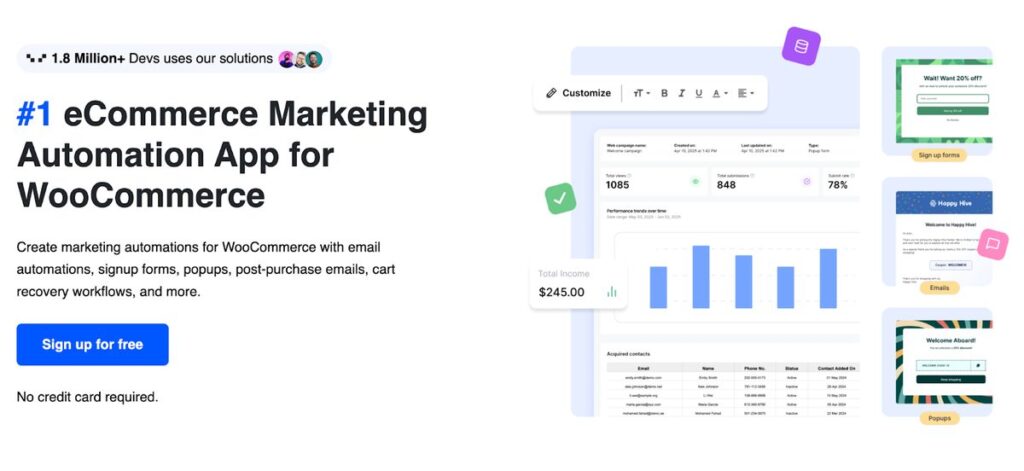
Consistent customer communication across a growing store is nearly impossible to maintain by hand. The eCommerce Marketing automation app solves that by turning key touchpoints in the customer journey into automated workflows, so engagement continues regardless of how many orders are coming in or how stretched the team is.
As a complete Marketing Automation App for WooCommerce, it covers the full scope of customer communication: signup forms and popups bring in new subscribers, welcome sequences introduce your brand at the right moment, cart recovery workflows bring back shoppers who didn’t complete checkout, and exit-intent popups give you one last chance to hold a visitor’s attention before they leave. The ability to customize WooCommerce email templates means every automated message reflects your store’s branding and tone rather than reading like a generic system notification. Product recommendations can be layered into campaigns to increase order value. Pre-built automation templates get common workflows live quickly, and a centralized email customizer dashboard gives you control over the look and behavior of every outgoing message.
Wrapping Up
Running a WooCommerce store well means attending to a lot of moving parts, traffic, trust, checkout experience, order management, customer retention, and the operational layer holding it all together. No single plugin covers all of that, but the right combination does.
The seventeen plugins in this list each handle a specific part of the store that tends to create friction as volume grows. Some are indispensable from day one. Others become more valuable as the store scales and manual processes stop being enough. The right starting point depends on where your store is right now and what your eCommerce niche demands from the customer experience.
Pick the gaps that are costing you the most, whether that’s abandoned carts, weak search visibility, slow checkout, or inconsistent order documentation, and fill them with the right tools. A focused, well-configured plugin stack will outperform a bloated one at every stage of growth.
Blogger users who want a cleaner interface can follow our quick guide on how to hide or remove the Blogger nav bar — a small tweak that makes a Blogger site look far more professional.

 June 23, 2018





Bilal Ahmad
Founder & Editor, TechMaish
Bilal Ahmad is the founder and editor of TechMaish, writing about consumer technology since 2008. For over 18 years he has covered streaming and downloads, games, social media platforms, iPhone and Android, Windows fixes and everyday software, testing tools hands-on and sharing what actually works. He is based in Peshawar, Pakistan.
About MeAll My ArticlesTwitterFacebookLinkedInInstagramPinterest