February 19, 2010
Adjusting the Sidebar and Posts Sections in Blogger
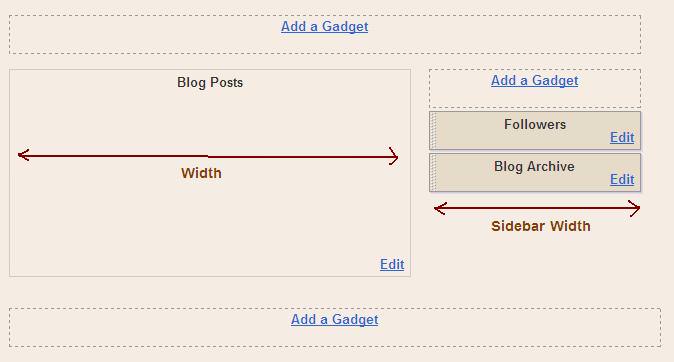
You have a blogger blog and you need to adjust the sidebar and posts section width to utilize the space available on the page. This can be done by editing your template code. You can see the below screen shot, i have pointed out the areas we will be going to increase its size. The width size of Post area, and width size of Sidebar.
Login to your Blogger Account
1. Login to your blogger account with your email and password.
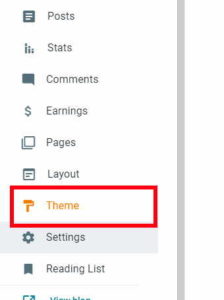
2. Click on Layout>>Edit HTML.
Expanding the outer wrapper
Find(CTRL+F) #outer-wrapper and change the width to 950px.(you can use other values but use this value first, i will teach you how to choose other values later. Do not save the template).
Expanding the posts section
Find #main-wrapper and change the width to 600px.
Expanding the sidebar
Find #sidebar-wrapper and change the width to 300px.
Now save the template. If you preview your template you will find that the posts and the sidebar has been expanded.
Things to note when you are experimenting
1. You can change the width upto 1000px. It does not mean that you cannot expand it further, but it looks ugly if you do so.
2. The sum of #main-wrapper and #sidebar-wrapper should be equal to the #outer- wrapper.
3. Leave 50px difference between the sum of #sidebar-wrapper and #main-wrapper to the #outer-wrapper. Otherwise we may see that the posts and the sidebar will be very close to each other and it may look ugly.
Example: (width) #outer-wrapper= 1000px;
#main-wrapper=700px;
#sidebar-wrapper=250px;
You are done! Enjoy Blogging!
Authors Profile:- My name is K K Nayak. Blogging is my passion and i love it. I like to learn new things on blogging and publish it on my blog BlogsHut.com.

 November 9, 2009
 December 16, 2009